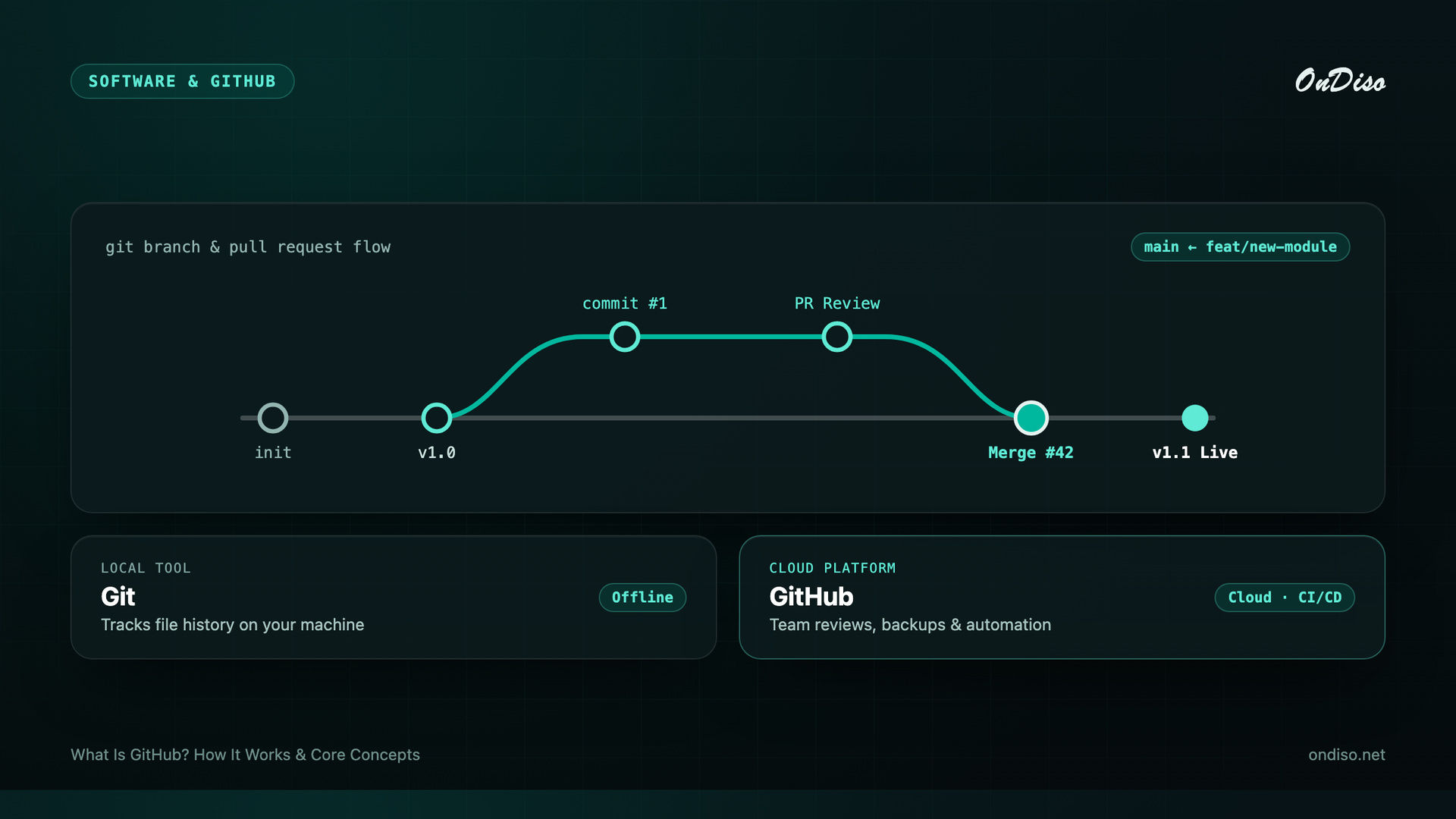
GitHub is a cloud-based Git hosting platform that lets developers store source code, track version history, and collaborate without overwriting each other's work. It brings together code backups, peer code reviews via Pull Requests, issue tracking, and automated testing and deployment with GitHub Actions in one central workspace.
What Is GitHub and What Does It Do?
When multiple engineers modify dozens of files in a software project at the same time, passing folders over email or chat quickly breaks things. GitHub solves this by giving teams a structured cloud home built on top of version control.
In practice, GitHub handles four critical jobs: it securely backs up your entire source history off local laptops, lets distributed teams work in parallel without conflicts, powers the global open-source ecosystem, and acts as an engineering portfolio. At OnDiso, structured version control underpins every web platform and custom software product featured on our Projects page.
Git vs. GitHub: What Is the Difference?
Beginners frequently use Git and GitHub interchangeably, yet they serve two distinct roles. Git is the local version-control tool installed on your computer; GitHub is the cloud platform where Git projects live online.
| Aspect | Git | GitHub |
|---|---|---|
| What is it? | Version control software | Cloud platform hosting Git repositories |
| Where does it run? | Locally on your computer | Online via browser and cloud APIs |
| Internet needed? | No internet required for local commits | Required to push, review, and collaborate online |
| Primary role | Records line-by-line file history | Hosts teams, Pull Requests, issues, and CI/CD |
5 Essential GitHub Terms Explained Simply
Open any repository on GitHub and you will immediately run into five core building blocks:
- Repository (Repo): The master container holding all project files, folders, and complete change history—configurable as Public or Private.
- Commit: A saved snapshot of specific edits paired with a short message, letting you roll back safely if a bug appears later.
- Branch: An isolated copy of the codebase (separate from
main) where you build new features or fixes without risking live production code. - Pull Request (PR): A formal review request asking teammates to inspect your branch changes line by line before merging them into
main. - GitHub Actions: Built-in automation workflows that run tests, security scans, and deployments automatically whenever code is pushed or merged.
How a Standard GitHub Workflow Runs Step by Step
Modern software teams typically move changes from idea to production through five clean steps:
- Clone: Download the remote repository onto a local machine using
git clone. - Branch: Create an isolated feature branch instead of editing production directly.
- Commit: Write changes and record milestones locally with
git commit. - Push: Upload local commits back to GitHub with
git push. - Open a Pull Request: Run automated checks, gather peer review, and merge cleanly.
See how clean software engineering practices translate into faster websites and custom platforms in our digital infrastructure guide.
Frequently Asked Questions
Is GitHub free to use?
Yes. Individual developers and teams get unlimited public and private repositories on GitHub's free plan, while larger organizations upgrade only when they need advanced compliance controls or extra automation minutes.
Is GitHub only for software programmers?
While built around code, documentation writers, UI teams, researchers, and technical users downloading open-source applications also rely on GitHub every day.
Can everyone on the internet see my code on GitHub?
Only repositories marked as Public are visible to everyone. Commercial company software is stored in Private repositories accessible exclusively to invited team members.
Let's plan your project together
Corporate web engineering, e-commerce, custom SaaS, business email plans, or technical SEO — tell us what you are building.